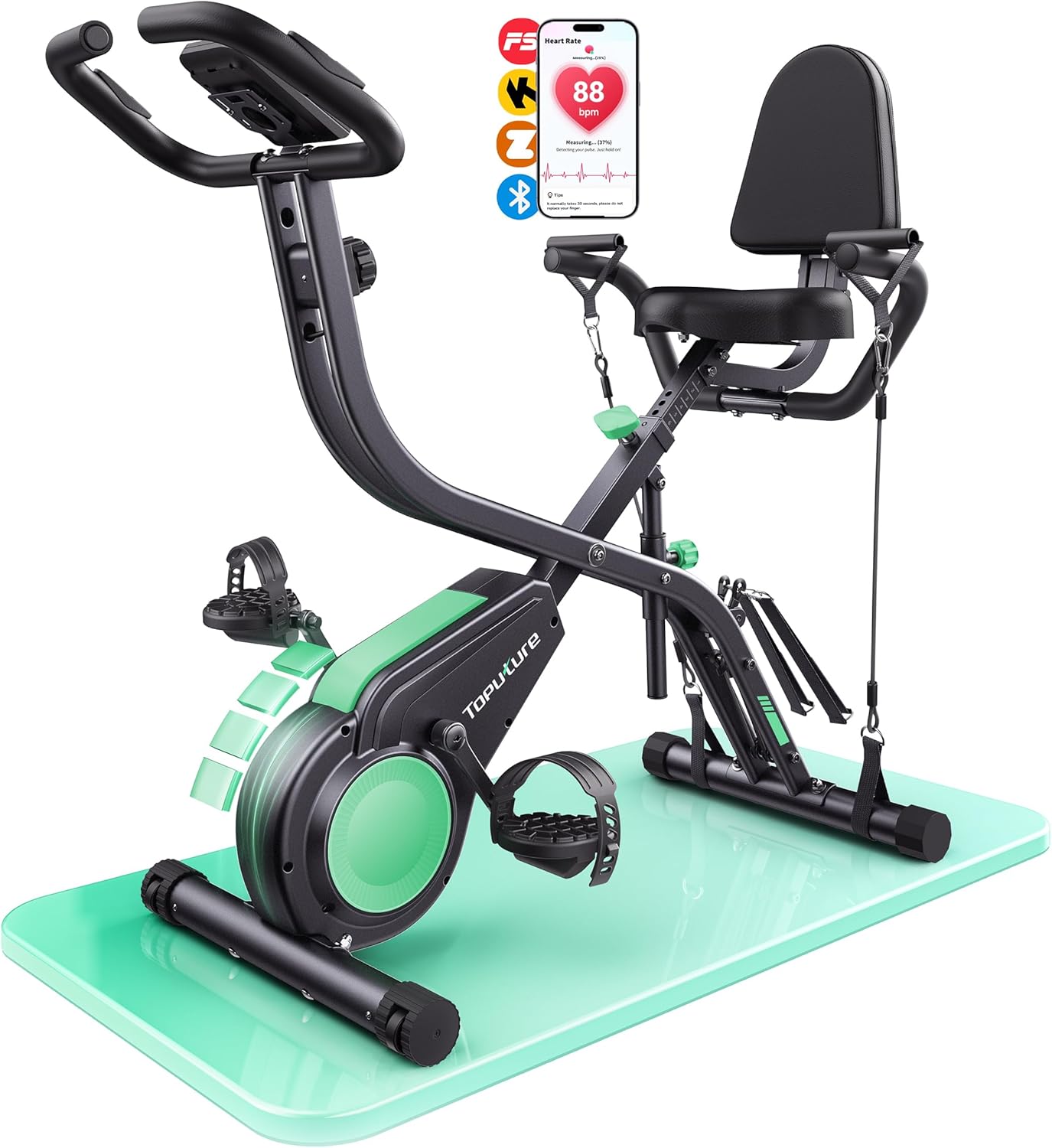
The Toputure TEB4-004 folding exercise bike now has a practical QZ compatibility confirmation. In a private support exchange, a TEB4-004 owner could see the bike during setup but did not get the normal QZ scan screen to connect until Roberto advised using the FTMS bike setting. The user then replied simply: “Works.”
That is useful because the TEB4-004 is an under-documented model compared with many larger indoor-bike brands. The product information shared for the bike lists the Bluetooth name as Toputure-TEB4, and the public manual describes FTMS/Kinomap and Zwift power-source style support. QZ also detects the TOPUTURE- Bluetooth-name family in the FTMS bike path, so the confirmed setup is to treat this bike as an FTMS indoor bike in QZ.
Table of Contents
Compatibility summary
| Equipment | Toputure TEB4-004 |
| Device type | Folding Bluetooth / FTMS indoor bike |
| QZ connection | Confirmed working after selecting the FTMS bike setting in QZ |
| Bluetooth / protocol notes | Reported Bluetooth name: Toputure-TEB4; QZ includes detection for the TOPUTURE- name family in its FTMS bike discovery path |
| Metrics evidenced | Connection and active QZ use are confirmed; the original setup goal included speed, cadence, distance, Apple Watch heart rate, Apple Health workout writing, and power if broadcast by the bike |
| Resistance / control | Use cautious model-specific testing: this confirmation is strongest for FTMS connection and workout-data workflow, not a separate full resistance-control test |
| Zwift / Kinomap | The public product/manual context describes FTMS/Kinomap and Zwift power-source style support; QZ can act as the bridge once the bike is connected |
| Apple Health / HealthKit | The user’s intended workflow included QZ on iPhone, Apple Watch heart rate, and one indoor-cycling workout written to Apple Health; later messages discussed Apple Health data behavior |
| Garmin / Strava / Google Health | QZ includes these broader export/integration workflows where configured; this particular TEB4-004 confirmation was not a dedicated Garmin, Strava, or Google Health test |
| Confidence | High for QZ connection using FTMS bike mode; cautious for untested app/control combinations |
Recommended QZ setup for the Toputure TEB4-004
- Wake the bike before scanning so its Bluetooth radio is advertising.
- In QZ, select the FTMS bike option for this model instead of treating it as a proprietary bike.
- Look for the Toputure / TEB4 Bluetooth device name during pairing.
- Confirm that the QZ tiles show the expected cycling values before opening Zwift, Kinomap, MyWhoosh, Rouvy, Peloton, or another training app.
- For Apple Watch heart rate and Apple Health workout recording, keep the QZ iPhone + Apple Watch companion workflow configured before starting the ride.
What QZ adds
QZ works as an equipment/app bridge for indoor bikes, treadmills, ellipticals, rowers and other fitness machines. With compatible FTMS bikes such as the Toputure TEB4-004, QZ can read the bike data exposed over Bluetooth and make it usable in training workflows instead of locking the bike to only one manufacturer app.
Depending on your phone platform and setup, QZ also supports integrations such as Apple Health / HealthKit, Garmin Connect, Strava, and Android health-platform workflows such as Google Health / Health Connect. The exact values available still depend on what the bike broadcasts and which QZ options are enabled.
Troubleshooting
If QZ sees the TEB4 during first setup but does not reconnect on the main scan screen, re-check that the bike is awake and that the FTMS bike option is selected. If something does not work as expected, send an email to Roberto.viola83@gmail.com and Roberto will help you check the setup.
Want to use your Toputure TEB4-004 with more training apps? Download QZ and learn more at qzfitness.com.